登入
|
註冊
|
會員中心
|
結帳
|
培訓課程
魔法弟子
|
自資出版
|
電子書
|
客服中心
|
智慧型立体會員
書名
出版社
作者
isbn
編號
5050魔法眾籌
|
NG書城
|
國際級品牌課程
|
優惠通知
|
霹靂英雄音樂精選
|
Best Download!部落客評選最優軟體大補帖
.
Decisionma
文學小說
文學
|
小說
商管創投
財經投資
|
行銷企管
人文藝坊
宗教、哲學
社會、人文、史地
藝術、美學
|
電影戲劇
勵志養生
醫療、保健
料理、生活百科
教育、心理、勵志
進修學習
電腦與網路
|
語言工具
雜誌、期刊
|
軍政、法律
參考、考試、教科用書
科學工程
科學、自然
|
工業、工程
家庭親子
家庭、親子、人際
青少年、童書
玩樂天地
旅遊、地圖
|
休閒娛樂
漫畫、插圖
|
限制級
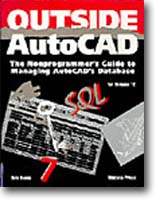
OUTSIDE AUTOCAD BOOK
作者:
EVANS
分類:
電腦與網路
/
應用軟體
出版社:
松崗
出版日期:2000/6/14
ISBN:1566040418
書籍編號:sb0060775
頁數:0
定價:
810
元
優惠價:
75
折
608
元
書價若有異動,以出版社實際定價為準
暫停販售
暫無供應商:尋找供貨商中(也有可能出版社已結束)。
團購數最低為 20 本以上
評價數:
(請將滑鼠移至星星處進行評價)
目前平均評價:
文字連結
複製語法
<a href='https://www.silkbook.com/book_detail.asp?goods_ser=sb0060775'>OUTSIDE AUTOCAD BOOK</a>
圖片連結
複製語法
<a href='https://www.silkbook.com/book_detail.asp?goods_ser=sb0060775'><img src='https://www.silkbook.com/mall_image/bk/sb0060775.jpg' ALT='OUTSIDE AUTOCAD BOOK' height='120' width='90'></a>
分
享
內容簡介
同類推薦
<FONT COLOR="#AA0000">■ 內容簡介</FONT> With Release 12, even nonprogrammers can finally get at AutoCAD’s powerful database capabilities! Within these pages, you’ll learn the techniques for utilizing the invaluable information behind your AutoCAD drawings. Veteran AutoCAD developer and columnist Dale Evans offers expert advice and how-to examples for using Release 12’s powerful new database tools, including. * Guidelines for working with and customizing AutoCAD for Windows. * Tips for working with Release 12’s new Dynamic Data Exchange (DDE) to tie your AutoCAD graphics data to outside data managed by other programs. * An overview of ASE, the AutoCAD SQL Extension that enables you to unite SQL-based data with AutoCAD to build applications. * Advice on using the AutoCAD Development System(ADS) to create your own ADS applications. * Suggestions for working with AutoCAD’s programmable Proteus GUI to customize AutoCAD. * Full information on attributes and more. Efficient CAD information management can save you thousands of dollars per workstation. Easy to read and understand, this one-of-a-kind reference will help you get the most from AutoCAD’s non-graphic information. Full money-back guarantee if not satisfied.
Excel VBA
Excel Powe
超實用!人資.行政.
超實用!Word.E
Microsoft
AI 時代一定要會
Word 365全方
Excel 2016
[準時下班秘笈]超實
Power BI X
為了保障您的權益,新絲路網路書店所購買的商品均享有到貨七天的鑑賞期(含例假日)。退回之商品必須於鑑賞期內寄回(以郵戳或收執聯為憑),且商品必須是全新狀態與完整包裝(商品、附件、內外包裝、隨貨文件、贈品等),否則恕不接受退貨。