登入
|
註冊
|
會員中心
|
結帳
|
培訓課程
魔法弟子
|
自資出版
|
電子書
|
客服中心
|
智慧型立体會員
書名
出版社
作者
isbn
編號
5050魔法眾籌
|
NG書城
|
國際級品牌課程
|
優惠通知
|
霹靂英雄音樂精選
|
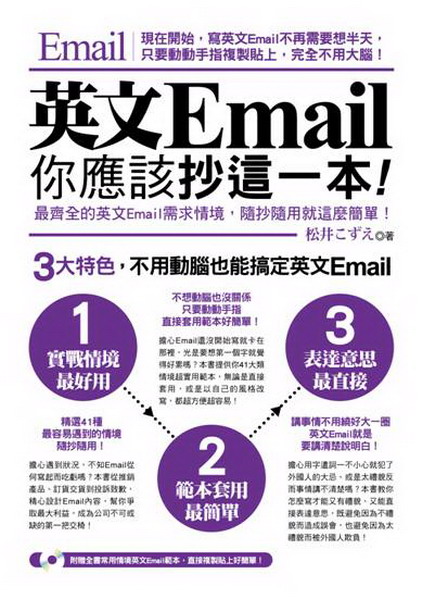
英文Email,你應該抄這一本!:(超值光碟附贈全書常用情境英文Email範本,直接複製貼上好簡單!)
.
Interchang
.
Interchang
.
Interchang
文學小說
文學
|
小說
商管創投
財經投資
|
行銷企管
人文藝坊
宗教、哲學
社會、人文、史地
藝術、美學
|
電影戲劇
勵志養生
醫療、保健
料理、生活百科
教育、心理、勵志
進修學習
電腦與網路
|
語言工具
雜誌、期刊
|
軍政、法律
參考、考試、教科用書
科學工程
科學、自然
|
工業、工程
家庭親子
家庭、親子、人際
青少年、童書
玩樂天地
旅遊、地圖
|
休閒娛樂
漫畫、插圖
|
限制級
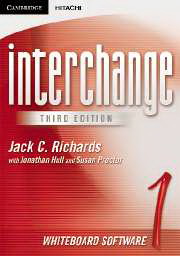
Interchange 1 Whiteboard Software(Single classroom)
作者:
Richards
分類:
語言工具
/
英語進修
出版社:
劍橋大學出版社
出版日期:2005/1/1
ISBN:1845651103
書籍編號:kk0206175
頁數:0
定價:
14000
元
書價若有異動,以出版社實際定價為準
暫停販售
暫無供應商:尋找供貨商中(也有可能出版社已結束)。
團購數最低為 20 本以上
評價數:
(請將滑鼠移至星星處進行評價)
目前平均評價:
文字連結
複製語法
<a href='https://www.silkbook.com/book_detail.asp?goods_ser=kk0206175'>Interchange 1 Whiteboard Software(Single classroom)</a>
圖片連結
複製語法
<a href='https://www.silkbook.com/book_detail.asp?goods_ser=kk0206175'><img src='https://www.silkbook.com/mall_image/bk/kk0206175.jpg' ALT='Interchange 1 Whiteboard Software(Single classroom)' height='120' width='90'></a>
分
享
內容簡介
同類推薦
The Interchange Third Edition Whiteboard Software is designed to be used alongside the Students Book, offering teachers a rich resource to complement the course and a more flexible way to manage and use the Students Book material in class. For each level, the software contains all units of the corresponding Students Book. These can be displayed on the whiteboard screen at the front of the classroom and used interactively to enhance the learning experience while working with the course material. The software features: - all the illustrations and photos from the Students Books - all the listenings, with the option to display audio scripts, with or without the audio, and give answers - the option to call up all answers to Grammar Focus and Word Power tasks - the Video sequences from the Interchange Videos. In addition to these extensive resources from the Students Book, this cutting-edge technology allows teachers to highlight text, hide and reveal illustrations, annotate anything on the screen, ask students to write answers or complete activities, bring in other resources such as the Internet and teach English in a truly twenty-first century medium. The software is sold with a 16 page booklet, which gives teachers guidance on how to use the content in class. Cambridge-Hitachi whiteboard software can be used with any proprietorial interactive whiteboards. The software can be used with a conventional screen/projector/PC but has enhanced functionality when used on an interactive whiteboard.
雅思聽力高分技巧,三
必學英文單字 一學就
100%滿分命中奇蹟
為什麼英語會這樣說?
只背會考的!新多益滿
Animal Far
關鍵英單 3:108
原來如此!英文的「為
雪豹王國(25K彩圖
自學英文文法看完這本
為了保障您的權益,新絲路網路書店所購買的商品均享有到貨七天的鑑賞期(含例假日)。退回之商品必須於鑑賞期內寄回(以郵戳或收執聯為憑),且商品必須是全新狀態與完整包裝(商品、附件、內外包裝、隨貨文件、贈品等),否則恕不接受退貨。