登入
|
註冊
|
會員中心
|
結帳
|
培訓課程
魔法弟子
|
自資出版
|
電子書
|
客服中心
|
智慧型立体會員
書名
出版社
作者
isbn
編號
5050魔法眾籌
|
NG書城
|
國際級品牌課程
|
優惠通知
|
霹靂英雄音樂精選
|
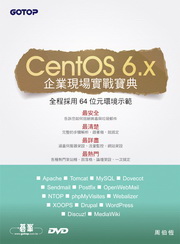
CentOS 6.x企業現場實戰寶典(附兩片DVD)
此作者無相關書籍
文學小說
文學
|
小說
商管創投
財經投資
|
行銷企管
人文藝坊
宗教、哲學
社會、人文、史地
藝術、美學
|
電影戲劇
勵志養生
醫療、保健
料理、生活百科
教育、心理、勵志
進修學習
電腦與網路
|
語言工具
雜誌、期刊
|
軍政、法律
參考、考試、教科用書
科學工程
科學、自然
|
工業、工程
家庭親子
家庭、親子、人際
青少年、童書
玩樂天地
旅遊、地圖
|
休閒娛樂
漫畫、插圖
|
限制級
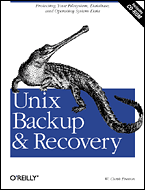
Unix Backup & Recovery
作者:
W. Curtis Preston
分類:
電腦與網路
/
作業系統
出版社:
美商歐萊禮英文書
出版日期:1999/11/1
ISBN:1565926420
書籍編號:bu0026739
頁數:730
定價:
1400
元
書價若有異動,以出版社實際定價為準
暫停販售
暫無供應商:尋找供貨商中(也有可能出版社已結束)。
團購數最低為 20 本以上
評價數:
(請將滑鼠移至星星處進行評價)
目前平均評價:
文字連結
複製語法
<a href='https://www.silkbook.com/book_detail.asp?goods_ser=bu0026739'>Unix Backup & Recovery</a>
圖片連結
複製語法
<a href='https://www.silkbook.com/book_detail.asp?goods_ser=bu0026739'><img src='https://www.silkbook.com/mall_image/bk/bu0026739.jpg' ALT='Unix Backup & Recovery' height='120' width='90'></a>
分
享
內容簡介
同類推薦
<u><b><font color="#aa0000">內容簡介</font></b></u><font color=#3366cc> Unix Backup & Recovery provides a complete overview of all facets of Unix backup and recovery, and offers practical, affordable backup and recovery solutions for environments of all sizes and budgets. The book begins with detailed explanations of the native backup utilities available to the Unix administrator, and ends with practical advice on choosing a commercial backup utility. This book: ‧Describes the features, limitations, and syntax of Unix backup and restore utilities,(including dump, tar, cpio, dd, GNUtar, and GNUcpio) for many popular versions of Unix, including AIX, Compaq Unix, HP-UX, IRIX, SCO, Solaris, and Linux ‧Provides instructions for installing and configuring freely available backup systems such as AMANDA ‧Includes ready-to-run shell scripts that automate live backups of Informix, Oracle, and Sybase databases ‧Presents step-by-step recovery procedures for Oracle, Informix, and Sybase ‧Presents step-by-step "bare-metal" disaster recovery procedures for AIX, Compaq Unix, HP-UX, IRIX, Solaris, and Linux ‧Describes the design of "disaster recovery" and "highly available" systems ‧Provides guidance on choosing a commercial backup and recovery system ‧Describes the features and limitations of backup hardware <u><b><font color="#aa0000">目錄</font></b></u> I. Introduction <font color=purple>1. Preparing for the Worst </font> My Dad Was Right Developing a Disaster Recovery Plan Step 1: Define (Un)acceptable Loss Step 2: Back Up Everything Step 3: Organize Everything Step 4: Protect Against Disasters Step 5: Document What You Have Done Step 6: Test, Test, Test Put It All Together <font color=purple>2. Backing It All Up </font> Don't Skip This Chapter! Why Should You Read This Book? How Serious Is Your Company About Backups? You Can Find a Balance Deciding What to Back Up Deciding When to Back Up Deciding How to Back Up Storing Your Backups Testing Your Backups Monitoring Your Backups Following Proper Development Procedures Unrelated Miscellanea Good Luck II. Freely Available Filesystem Backup & Recovery Utilities <font color=purple>3. Native Backup & Recovery Utilities </font>An Overview Backing Up with the dump Utility Restoring with the restore Utility Limitations of dump and restore Features to Check For Backing Up and Restoring with the cpio Utility Backing Up and Restoring with the tar Utility Backing Up and Restoring with the dd Utility Comparing tar, cpio, and dump How Do I Read This Volume? <font color=purple>4. Free Backup Utilities </font> The hostdump.sh Utility The infback.sh, oraback.sh, and syback.sh Utilities A Really Fast tar Utility: star Recording Configuration Data: The SysAudit Utility Displaying Host Information: The SysInfo Utility Performing Remote Detections: The queso Utility Mapping Your Network: The nmap Utility AMANDA III. Commercial Filesystem Backup & Recovery Utilities <font color=purple>5. Commercial Backup Utilities </font> What to Look For Full Support of Your Platforms Backup of Raw Partitions Backup of Very Large Filesystems and Files Simultaneous Backup of Many Clients to One Drive Simultaneous Backup of One Client to Many Drives Data Requiring Special Treatment Storage Management Features Reduction in Network Traffic Support of a Standard or Custom Backup Format Ease of Administration Security Ease of Recovery Protection of the Backup Index Robustness Automation Volume Verification Cost Vendor Conclusions <font color=purple>6. High Availability </font> What Is High Availability? HA Building Blocks Commercial HA Solutions The Impact of an HA Solution IV. Bare-Metal Backup & Recovery Methods <font color=purple>7. SunOS/Solaris </font> What About Fire? Homegrown Bare-Metal Recovery Recovering a SunOS/Solaris System <font color=purple>8. Linux </font> How It Works A Sample Bare-Metal Recovery <font color=purple>9. Compaq True-64 Unix </font> Compaq's btcreate Utility Homegrown Bare-Metal Recovery <font color=purple>10. HP-UX </font> HP's make_recovery Utility The copyutil Utility Using dump and restore <font color=purple>11. IRIX </font> SGI's Backup and Restore Utilities System Recovery with Backup Tape Homegrown Bare-Metal Recovery <font color=purple>12. AIX </font> IBM's mksysb Utility IBM's Sysback/6000 Utility System Cloning V. Database Backup & Recovery <font color=purple>13. Backing Up Databases </font> Can It Be Done? Confusion: The Mysteries of Database Architecture The Muck Stops Here: Databases in Plain English What's the Big Deal? Database Structure An Overview of a Page Change What Can Happen to an RDBMS? Backing Up an RDBMS Restoring an RDBMS Documentation and Testing Unique Database Requirements <font color=purple>14. Informix Backup & Recovery </font> Informix Architecture Automating Informix Startup: The dbstart.informix.sh Script Protect the Physical Log, Logical Log, and sysmaster Which Backup Utility Should I Use? Physical Backups Without a Storage Manager: ontape Physical Backups with a Storage Manager: onbar Recovering Informix Logical Backups <font color=purple>15. Oracle Backup & Recovery </font> Oracle Architecture Physical Backups Without a Storage Manager Physical Backups with a Storage Manager Managing the Archived Redologs Recovering Oracle Logical Backups A Broken Record <font color=purple>16. Sybase Backup & Recovery </font> Sybase Architecture Physical Backups Without a Storage Manager Physical Backups with a Storage Manager Recovering Sybase Logical Backups An Ounce of Prevention . . . VI. Backup & Recovery Potpourri <font color=purple>17. ClearCase Backup & Recovery </font> ClearCase Architecture VOB Backup and Recovery Procedures View Backup and Recovery Procedures Summary <font color=purple>18. Backup Hardware </font> Choosing on a Backup Drive Using Backup Hardware Tape Drives Optical Drives Automated Backup Hardware Vendors Hardware Comparison <font color=purple>19. Miscellanea </font> Volatile Filesystems Demystifying dump Gigabit Ethernet Disk Recovery Companies Yesterday Trust Me About the Backups <u><b><font color="#aa0000">作者簡介</font></b></u> <font color=purple>W. Curtis Preston </font> W. Curtis Preston has specialized in designing backup and recovery systems for over six years, and has designed such systems for many environments, both large and small. The first environment that Curtis was responsible for went from 7 small servers to 250 large servers in just over two years, running Oracle, Informix, and Sybase databases and five versions of Unix. He started managing this environment with homegrown utilities and eventually installed the first of many commercial backup utilities. His passion for backup and recovery began with managing the data growth of this 24x7, mission-critical environment. Having designed backup systems for environments with small budgets, Curtis has developed a number of freely available tools, including ones that perform live backups of Oracle, Informix, and Sybase. He has ported these tools to a number of environments, including Linux, and they are running at companies around the world. Curtis is now a principal consultant for Collective Technologies, where they have developed a proven system for choosing a commercial backup utility when the environment and budget allow one to be purchased. This system has been used to select commercial backup systems for some of the world's largest environments, including a six terabyte Oracle database and one site with a total storage capacity of five petabytes. Once software and hardware selection is completed, they design and implement a complete system based on the customer's requirements. Curtis states that he could have never written the book without the use of the Collective Intellect(TM), or the "C.I." as he calls it. Collective Technologies' 400 consultants have administered every major operating system, and they support each other by freely sharing their "collective" experiences, referred to as the Collective Intellect(tm). While writing the book, Curtis asked the C.I. hundreds of questions that would have taken him years to research on his own. In a few cases, entire chapters were written by people who demonstrated expertise in a certain area. Curtis believes that the C.I. has made this a far better book than he ever envisioned.
30天精通 Powe
圖解LINUX指令操
Linux隨身指南:
最佳拍檔完全體- L
Windows 11
真正了解核心:Lin
跟我學Windows
絕對硬派:Windo
超實用!Word.E
Excel 365商
為了保障您的權益,新絲路網路書店所購買的商品均享有到貨七天的鑑賞期(含例假日)。退回之商品必須於鑑賞期內寄回(以郵戳或收執聯為憑),且商品必須是全新狀態與完整包裝(商品、附件、內外包裝、隨貨文件、贈品等),否則恕不接受退貨。