登入
|
註冊
|
會員中心
|
結帳
|
培訓課程
魔法弟子
|
自資出版
|
電子書
|
客服中心
|
智慧型立体會員
書名
出版社
作者
isbn
編號
5050魔法眾籌
|
NG書城
|
國際級品牌課程
|
優惠通知
|
霹靂英雄音樂精選
|
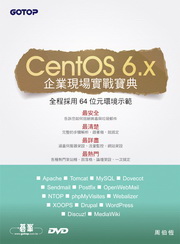
CentOS 6.x企業現場實戰寶典(附兩片DVD)
此作者無相關書籍
文學小說
文學
|
小說
商管創投
財經投資
|
行銷企管
人文藝坊
宗教、哲學
社會、人文、史地
藝術、美學
|
電影戲劇
勵志養生
醫療、保健
料理、生活百科
教育、心理、勵志
進修學習
電腦與網路
|
語言工具
雜誌、期刊
|
軍政、法律
參考、考試、教科用書
科學工程
科學、自然
|
工業、工程
家庭親子
家庭、親子、人際
青少年、童書
玩樂天地
旅遊、地圖
|
休閒娛樂
漫畫、插圖
|
限制級
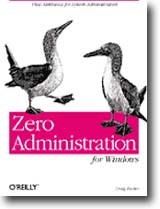
Zero Administration for Windows
作者:
Craig Zacker
分類:
電腦與網路
/
作業系統
出版社:
美商歐萊禮英文書
出版日期:1999/3/1
ISBN:1565925084
書籍編號:bk0013956
頁數:560
定價:
1230
元
書價若有異動,以出版社實際定價為準
暫停販售
暫無供應商:尋找供貨商中(也有可能出版社已結束)。
團購數最低為 20 本以上
評價數:
(請將滑鼠移至星星處進行評價)
目前平均評價:
文字連結
複製語法
<a href='https://www.silkbook.com/book_detail.asp?goods_ser=bk0013956'>Zero Administration for Windows</a>
圖片連結
複製語法
<a href='https://www.silkbook.com/book_detail.asp?goods_ser=bk0013956'><img src='https://www.silkbook.com/mall_image/bk/bk0013956.jpg' ALT='Zero Administration for Windows' height='120' width='90'></a>
分
享
內容簡介
同類推薦
<u><b><FONT COLOR=#AA5555>● 內容簡介 ●</FONT></b></u> <font color=#191970> Microsoft developed the Windows NT Zero Administration Kit (ZAK) to help system administrators manage large numbers of client applications efficiently. Going way beyond the step-by-step procedures typical of most books, Zero Administration for Windows provides the understanding and techniques required to automate manual configuration, customize the scripts, prevent users from creating configuration problems, and more. While most network administrators in the real world will not find the Zero Administration Kit's TaskStation and AppStation scenarios usable in their unmodified state, the manual devotes more space to the steps involved in deploying them than to the process of adapting them to an existing network environment. By exploring areas of the Windows NT infrastructure that have been neglected by most other books, Zero Administration for Windows demonstrates how to use the Zero Administration Kit as a potent system administration tool. This book concentrates on the techniques used by the ZAK, rather than on procedures specific to the scenarios the kit provides. For example, while there is coverage of the policy templates included with the ZAK, a significant amount of space is devoted to the syntax for creating customized policy templates that can be used to automate the registry changes necessary for applications not supported by the ZAK. The book also covers other techniques for building custom workstation configurations, such as the system differential files, registry dumps, and the syntax for installation and logon scripts and CMD files. Topics include: ●Planning a Zero Administration strategy ●Zero Administration tools ●Installing Windows NT clients ●Securing the file system ●Installing applications ●Creating user profiles ●Using system policies ●Creating custom system policies Zero Administration for Windows is a vital tool for Windows NT network administrators who are responsible for the deployment and maintenance of large numbers of client systems. <u><b><FONT COLOR=#AA5555>● 目錄 ●</FONT></b></u> <font color=#3366CC> Preface 1. Introduction and Apologia Total Cost of Ownership Traditional Administration Tasks Elements of the Zero Administration Initiative for Windows Today's Solutions 2. What Is the Zero Administration Kit? Installation Scripts Application Installations User Profiles System Policies Batch Files and Scripts Workstation Environments Zero Administration Kit Contents The ZAK Workstation Installation 3. Planning and Testing a Zero Administration Strategy Least Privileges Classifying Users Locking Down the Interface Evaluating Hardware Creating Uniform Environments Installing ZAK Environments Using a Scientific Method 4. Deploying the Zero Administration Kit Creating a Software Distribution Point Building a Reference Client Modifying the Default ZAK Environments 5. Customizing Windows NT Installations The Windows NT Installation Process Installation Script Files The Default ZAK Unattend.txt Script Other Unattend.txt Options Using Setup Manager Specifying Machine-Specific Settings The \$oem$ Directory Structure Using Third-Party Drivers Selecting Windows NT Components 6. Automating Application Installations Locating Application Files Installation Methods Unattended Installations Using Sysdiff.exe Installing Applications With ScriptIt Installing Office 97 Installing Internet Explorer 4 7. Securing the Filesystem The Default Windows NT Environment The Default ZAK Environments Applying Filesystem Permissions Hiding Filesystem Resources Installing Netscape Navigator Restricting Disk Access Securing System Hardware Protecting the Registry Network Filesystem Security 8. Creating User Profiles Using Local Profiles Using Server-Based Profiles Creating Roaming Profiles Creating Mandatory Profiles 9. Using System Policies System Policy Files and Templates System Policies and the Registry Running the System Policy Editor The ZAK and System Policies 10. Creating Custom System Policies Isolating Registry Entries Policy Template Syntax Registry Keywords Part Control Indicators Testing and Deploying Custom Templates Implementing the ZAK A. Zero Administration Tools B. Unattend.txt Entries C. Windows NT Network Adapter Drivers D. ZAK Policy Templates <u><b><FONT COLOR=#AA5555>● 作者簡介 ●</FONT></b></u> <font color=#3366CC> Craig Zacker Craig Zacker has published numerous books and articles on networking topics and Windows NT.
30天精通 Powe
圖解LINUX指令操
Linux隨身指南:
最佳拍檔完全體- L
Windows 11
真正了解核心:Lin
跟我學Windows
絕對硬派:Windo
超實用!Word.E
Excel 365商
為了保障您的權益,新絲路網路書店所購買的商品均享有到貨七天的鑑賞期(含例假日)。退回之商品必須於鑑賞期內寄回(以郵戳或收執聯為憑),且商品必須是全新狀態與完整包裝(商品、附件、內外包裝、隨貨文件、贈品等),否則恕不接受退貨。